
Banking services for non-residents
TBC Bank — Uzbekistan's first digital bank
TBC Bank's products and services for non-residents
Visa card with 1% cashback on all purchases and other bonuses
To all Uzbekistan bank cards
Covering fines, subscriptions, and other services
With interest rates up to 21%
and terms up to 24 months

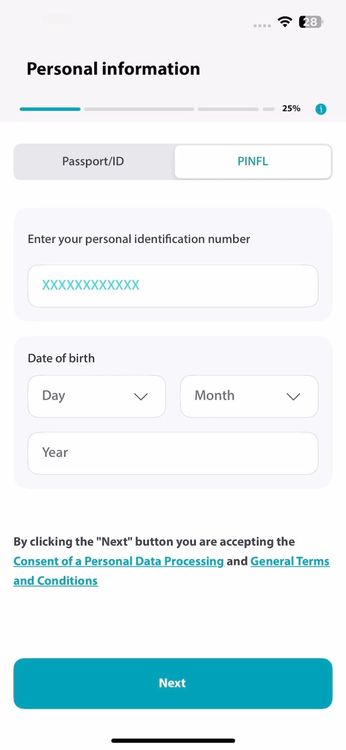
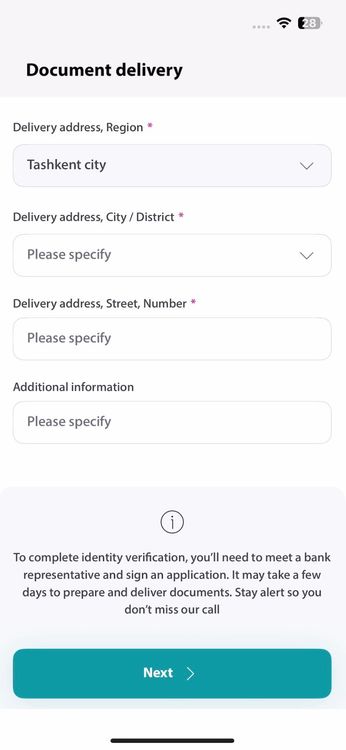
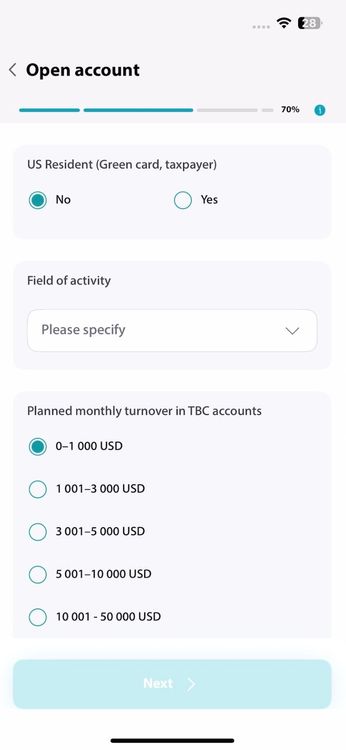
How to open a TBC Bank account

FAQ
What do non-residents need to register in the TBC UZ app?
To register in the app and pass bank verification, you'll need:
• Valid passport
• Temporary registration, which will be valid for at least 15 calendar days from the date of application submission.
• Phone number from an Uzbek mobile operator
• PIN (Personal Identification Number)
Important: Your temporary residence registration and PINFL must be issued for the same passport that you will use to register in the app and sign the account opening application.
If you used different passports to obtain your temporary registration and your PINFL, you must re-issue these documents so that they are both linked to a single passport.
What do I need to prepare for the courier meeting?
Bring the original versions of two documents:
• Your temporary registration in Uzbekistan;
• Passport or international passport used to obtain your PINFL and submit the account opening application.
You must be in Tashkent for the meeting with the bank representative.
During the meeting, the courier will take a photo of you with these documents and the application to confirm the account opening, as this is required by banking regulations in Uzbekistan. We guarantee the confidential storage of your personal data.
How to get an uzbek phone number?
It's very simple:
• Take your passport and temporary registration documents
• Visit any customer service center of a mobile operator
• Select a tariff plan and activate your SIM card
Once completed, you can use this number to register in the TBC UZ app.
Do I need to keep my phone number active after registering in the TBC UZ app?
Yes, you do. If you fail to pay your phone plan fees on time, your number will be blocked, and you may lose access to the TBC UZ app. For example, you won't receive SMS codes when they're needed.
How to obtain temporary registration in Uzbekistan?
If you need registration for one month or longer, visit your local district OVD (police department) at your place of residence together with the property owner. Only your passport is required for the registration.
What deposits are available for non-residents?
All types of TBC Bank deposits:
• Fixed deposit without replenishment − with an interest rate up to 21%;
• Fixed replenishable deposit − with a rate up to 18% and the ability to withdraw money and top up the deposit;
• “Odat“ deposit − with an 13% rate and automatic interest capitalization.
According to the tax code, a 10% tax is charged on non-resident deposits − withholding from the total interest earned.
Example of this tax:You opened a 100,000 UZS deposit at 21% annual rate. After 30 days the payment would be 1726 UZS, but after withholding 10% tax, you'll receive 1 553 UZS.
How to Unlock Data in OneID?
There are two ways.
Using an Electronic Digital Signature (EDS):
1. Download and register in the OneID application.
2. Choose to log in using your EDS.
3. Go to the "Data Management" section at the bottom of the screen and enter "TBC" in the search.
4. Select TBC Bank and TBC FIN Service, then click "Allow."
Using MyID:
1. Open the OneID mobile app and register using MyID.
2. Go to this OneID website page and choose to log in with a QR code.
3. Scan the QR code in the OneID mobile app and go to the "Data Management" section.
4. Enter "TBC" in the search, select TBC Bank and TBC FIN Service, then click "Allow."
How to Get an Electronic Digital Signature (EDS)?
You can obtain an EDS at any nearby public service center. You will need your passport, your PINFL (Personal Identification Number), and a USB flash drive. The entire process will take about 1-2 hours